

Deal alert! Northwest will form your LLC for $39 (60% discount). See details.

In this lesson, we will walk you through filing the Colorado LLC Articles of Organization form with the Colorado Secretary of State.
Your Articles of Organization is the legal document that officially forms your LLC. You can only file this document online in Colorado (there is no mail filing).
The form asks for basic information like your business name, your LLC address, and your company’s Registered Agent information.
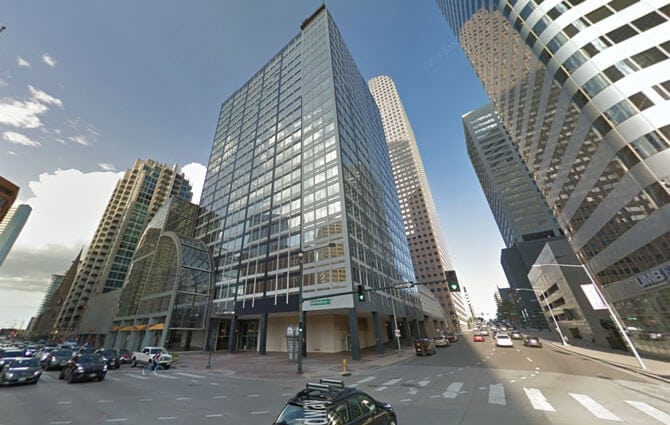
(Colorado Secretary of State, Business Organizations Building)
Need to save time? Hire a company to form your LLC:
Northwest ($39 + state fee) or LegalZoom ($149 + state fee)
(We recommend Northwest. We've reviewed all the top companies in the industry. And Northwest is our #1 pick for prices, customer support, and address privacy. Check out Northwest vs LegalZoom to learn more.)
Colorado Articles of Organization filing fee
The filing fee for a Colorado Limited Liability Company is $50.
How much is an LLC in Colorado explains all the fees you’ll pay, including the LLC filing fee.
Limited Liability Company approval times
If you file your LLC online, it will be approved immediately.
You can file this yourself or you can hire a company to do it for you. Check out Best LLC Services in Colorado for our top suggestions.
Note: Filing times may take longer due to government delays. For the most up-to-date LLC processing times, check how long does it take to get an LLC in Colorado.
How to File a Colorado LLC Online
These instructions will walk you through filing your Articles of Organization using the Colorado Secretary of State’s Online Filing System.
You don’t need to create an account to use the state’s online filing system. Simply click “Next” at the bottom of the page to start your filing.
Colorado Articles of Organization Instructions
- It’s important that you read Who can be my Registered Agent in Colorado? before proceeding. The address you select may impact your privacy as well as which Registered Agent option you’ll choose in the first section.
Registered Agent
Note: As of 2025, all Colorado Registered Agents must verify that they meet the state’s requirements. If your Registered Agent is an Individual, this is done by entering their Colorado ID card information or requesting a Passcode be mailed to a physical street address in Colorado.
If you hire a Registered Agent Service, you don’t need to do anything extra. The Colorado Secretary of State will verify them automatically.
Choose whether your Registered Agent will be:
- an Individual (like you, a friend, or a family member), or
- an Entity (like a Registered Agent Service).
If your Registered Agent is an Individual
Select “Individual” and click “Next“.
Select how you want to verify that you meet the state requirements:
- Use your Colorado driver’s license or ID card, or
- Use a Passcode that will be mailed to a Colorado physical street address.
Note: The Passcode takes 1-2 weeks to arrive by mail. And it must be sent to a physical street address in Colorado. PO Boxes and CMRAs aren’t allowed. And you won’t be able to complete your LLC filing until you get the Passcode.
If you don’t want to wait 1-2 weeks to finish your filing, you can either enter your Colorado ID card information, or hire a Registered Agent Service.
To use a Colorado driver’s license or ID card:
- Select “Colorado driver’s license or ID card number“.
- Enter the card number.
- Enter the last name of the ID card holder exactly as it appears on the card.
- Then click “Next“.
The Secretary of State’s system will automatically compare the ID card number and last name against DMV records. This should only take a few moments, and then you can proceed with your filing.
To use a Passcode:
- Select “Passcode“.
- Enter your Passcode.
- Then click “Next“.
If you don’t have a Passcode yet:
Scroll down and click “Use the alternative method of verification“.
Enter the Registered Agent’s first and last name.
Then enter their physical street address in Colorado. This address must be in Colorado, and it must be a physical street address. PO Boxes and CMRAs aren’t allowed.
Enter the Registered Agent’s Mailing Address. This address can be a PO Box or CMRA address, but it must be located in Colorado. If the Mailing Address is the same as the street address, check the box labeled “Same as street address above“.
Then click “Next“.
Verify the addresses. If you receive an error, double check the information you submitted for any typos.
Then select the correct addresses and click “Use selected addresses“.
Click “Next“.
You’ll see a message from the state saying the Passcode will be mailed in 1-2 weeks.
Click “Submit” to have the Passcode mailed to your Registered Agent’s physical address in Colorado.
Once you receive the Passcode in the mail, you can finish your Articles of Organization filing.
Important: The Passcode expires 45 days from the date that you request it online. So make sure you finish your Articles of Organization filing within 45 days of requesting the Passcode.
Otherwise, you’ll have to start the process over and request another Passcode (which will take another 1-2 weeks to arrive). Alternatively, you can use the Driver’s License verification, or hire a Registered Agent Service.
Will the Colorado Secretary of State store my Driver’s License or ID card information?
No, the Colorado Secretary of State won’t store your Driver’s License or ID card information long-term. They only retain this data long enough to verify that the individual is a Colorado resident by searching that information against the Colorado DMV database.
If your Registered Agent is an entity (like a Registered Agent Service)
- Select “Entity” and click “Next“.
- Then enter the Entity’s ID number.
Tip: If you don’t know the Entity’s ID number, you can search for it using the Colorado Business Entity Search.
For example: If you hired Northwest Registered Agent, enter “Northwest Registered Agent” in the Business Entity Search box and hit Enter on your keyboard. Find Northwest in the search results and copy their ID Number. Go back to the Registered Agent page in your LLC filing and paste the Entity ID number there.
Click “Next“.
Verify the name and addresses of your Registered Agent, and click “Next“.
Entity Name
Enter the LLC name you want to use.
Tips: Make sure your business name follows Colorado naming guidelines. First, use our Colorado LLC Name Search lesson to check your business name’s availability.
You can use certain symbols in your name (Acceptable Characters).
Your LLC name must have an allowed designator at the end. Colorado lets you use these endings:
- LLC (most common)
- L.L.C.
- Ltd.
- Limited
- Ltd. Liability Co.
- Limited Liability Co.
- Ltd. Liability Company
- Limited Liability Company
You can use a comma in your LLC name before the designator, or you can leave it out. Both are okay. For example, you could use “Pines Winery LLC” or “Pines Winery, LLC”.
Click “Next” to continue.
Principal Office Address
Street Address
Enter your LLC’s Principal Office street address.
This must be a physical address, not a PO Box. The address doesn’t have to be in Colorado, though. It can be in any state.
Mailing Address
Enter your LLC’s mailing address. This can be a PO Box or any other type of address. It can be in Colorado, or another state, or another country.
If your LLC’s mailing address and street address are the same, you can click the box to copy the information over.
Click Next to continue.
Tip: You may see a pop-up asking you to verify the address. The system compares the address you entered to USPS records and may offer you a slightly different address (changing “Road” to “Rd”, for example). Check whether the suggested address is still correct, then click the button for the address you want to use.
Management & Members
- Learn More: Member-managed vs Manager-managed LLC
Who manages the LLC?
Select “Members” if your LLC is Member-managed. Or select “Managers” if your LLC is Manager-managed.
Both types of management structure are allowed in Colorado.
There is at least 1 Member of the LLC:
Click “Yes”. Every Colorado LLC must have at least one Member.
In Colorado, you’re allowed to have a Single-Member LLC with just 1 Member, or a Multi-Member LLC with more than 1 Member. Colorado law doesn’t require you to list the names of all Members, just that you confirm the LLC has at least 1 Member.
Click “Next” to continue.
Formation
- Learn More: LLC Organizer vs LLC Member and Registered Agent vs LLC Organizer
This page is asking about the LLC Organizer (aka the person who is filing the Articles of Organization).
You don’t list all the LLC Members here, just the person who is filing this form.
Name
First, select what type of person is filing the Articles of Organization. Since most people are filing their own LLC, they click “Individual”.
Then, enter the first and last name of the person filing the Articles of Organization.
Address
Enter the Organizer’s address. This address doesn’t have to be in Colorado. It can be in any state or country.
Click “Next” to continue.
Persons forming the LLC review
Confirm the Organizer’s information is correct. You only have to list 1.
That said, you can add additional Organizers, or make changes to the Organizer you entered on the last screen.
Click “Next” to continue.
Additional information (optional)
You can add additional provisions to your Articles of Organization here. This is uncommon, and usually only done if your business attorney specifically told you to do so.
If you don’t have any additional information, leave the box empty, click “No”, and then “Next” to continue.
Delayed effective date
- Learn More: What is the LLC Effective Date?
Do you want this LLC to take effect immediately?
The LLC Effective Date is the date your LLC goes into existence. Think of it like the day your LLC is “born”.
Most people select “Yes”, and their LLC will go into existence as soon as it’s approved by the Secretary of State.
However, you can delay the effective date of your LLC for up to 90 days if you want. In that case, click “No” and select the new effective date on the calendar.
Pro tip: If you’re forming your Colorado LLC later in the year (October, November, December) and you don’t need your LLC open right away, you can give your LLC an effective date of January 1st of the following year. This can save you the hassle of filing taxes for those few months with no business activity.

Click “Next” to continue.
Filer information
Click the box to confirm you’ve entered accurate, truthful information.
Then the system asks you to identify the person filing Articles of Organization. For most people, who are forming their own LLC and entered themselves in the Organizer section (Step 4), click the box for “Same as a person forming the LLC”.
If you are filling out the online form on behalf of the Organizer (maybe you’re an employee or friend helping them), you should enter your Name and Address here instead. This is less common, since most people are filing their own LLCs.
Click “Next” to continue.
Notifications
This page asks you about receiving notifications from the Colorado Secretary of State. For example, they will send a reminder notice about the Colorado LLC Periodic Report.
You can sign up for notifications via email, or text messages, or both. Click the appropriate buttons to opt-in, and enter the email address and phone number you want to use.
Don’t worry: information you enter here (like your email address or phone number) doesn’t go on public record.
Click “Next” to continue.
Filing Review
This screen shows you all the information you’ve entered so far. Check for typos or errors and edit any sections, if necessary.
Click “Next” to continue.
Payment
The fee for a Colorado LLC is $50. Click the button to pay by Credit or debit card.
A secure payment process will open in the same window. Enter your payment details and submit your payment to the state.
Congratulations! Your Colorado Articles of Organization form has been submitted for processing.
LLC approval time (online filing)
When you file online, your LLC is approved immediately.
At the end of the filing process, you’ll see a Confirmation screen that everything was processed successfully. From this page, you can download (and print) the approved Articles of Organization. You can even download a free Certificate of Good Standing too.
There is an option to forward your filing receipt to an email, but you won’t get the Articles of Organization or other approval documents emailed to you. So make sure to download them from the confirmation screen.
We recommend making a few copies of your Colorado LLC Articles of Organization and keeping them with your business records and other legal documents.
Tip: If you forgot to download them or misplaced the copies, it’s easy (and free!) to download them again via the Colorado Secretary of State: Business Entity Search page. We have step-by-step instructions in the FAQs below.
Colorado Secretary of State Contact Info
If you have any questions, you can contact the Business Organizations Division of the Colorado Secretary of State — Business Organizations Division.
Their phone number is 303-894-2200. And they’re open Monday to Friday, 8am – 5pm Mountain Time.
Search your domain name
If you plan on building a website, you can quickly register your domain name. Creating a website with your business name as the domain name can help people find your business online. You can easily search and purchase a domain name through GoDaddy.
Find a domain name
Colorado LLC FAQs
How much does an LLC cost per year in Colorado?
An LLC costs $25 per year in Colorado. This is the fee for the annual Periodic Report.
This fee is paid to the Colorado Secretary of State. Filing the Periodic Report keeps your LLC in good standing.
What are the Articles of Organization for an LLC in Colorado?
The Colorado Articles of Organization is a form that tells the Secretary of State important information about your LLC. Once the Secretary of State approves your Articles of Organization, your LLC officially exists.
The Articles of Organization form asks for your LLC name, business address, Registered Agent, and other information.
How do I get a copy of my Colorado Articles of Organization?
If you’re looking for a copy of an Articles of Organization that you already filed for your LLC, you can get one for free online.
Here’s how to do that:
- Go to the Colorado Secretary of State: Business Entity Search page.
- Type the name of your LLC in the search box and click the Search button.
- Find your LLC in the list and click on it.
If you just want a PDF copy of the Articles of Organization, click the link titled “Filing History and Documents”. On the next screen, click the Document Number link for the Articles of Organization and download the PDF.
If you need a Certified Copy (with the Secretary of State’s Seal on it), click the link for “Get Certified Copies of Documents”. On the next screen, click the Document Number link for the Articles of Organization and download the PDF with Certification.
You can use a stamped, approved Articles of Organization to open a business bank account. Most banks don’t require a Certified Copy.
Do you have to put LLC in your business name in Colorado?
Yes, you have to put “LLC” (or another allowable ending) in your business name if you are forming an LLC. Colorado allows the following endings:
- LLC
- L.L.C.
- Ltd.
- Limited
- Ltd. Liability Co.
- Ltd. Liability Company
- Limited Liability Co.
- Limited Liability Company
Tip: Most people choose “LLC”.
Your complete LLC name gets listed in your Colorado Articles of Organization.
How long does it take to get an LLC approved in Colorado?
When you form a Colorado LLC online, it will be approved immediately.
Does Colorado have Expedited LLC Filings?
No, the Colorado Secretary of State doesn’t offer expedited filings. And they aren’t needed in Colorado.
The reason is that all Limited Liability Companies in Colorado are filed online, and they are approved immediately. So you don’t need to pay extra for expedited filing.
Does my LLC need a Colorado business license?
It depends on what your business does.
Colorado doesn’t have a state-wide general business license requirement.
However, the state requires certain types of businesses to have a license. You should also check with your city or county about any local Colorado business license requirements for your LLC.
And you may need to register with the Colorado Department of Revenue in order to collect sales tax or register for other taxes.
Can I use the instructions above for filing a Foreign LLC?
No, the instructions on this page are specifically for filing a Domestic LLC in Colorado.
If you want to register a Foreign LLC, you can find the forms and fees in Foreign LLC Fees by State.
How do I form an LLC in Colorado?
Here are the steps to forming an LLC in Colorado:
- Select a business name for your Colorado LLC
- Choose your Registered Agent
- File the LLC Articles of Organization with the state
- Complete and sign an LLC Operating Agreement
- Get an Employer Identification Number (EIN) from the Internal Revenue Service (IRS)
- Open business bank accounts to protect your personal assets
- Check whether you need a business license, local business permit, or sales tax license in Colorado
References
Colorado LLC Act
Colorado Secretary of State: LLC Forms
Colorado Secretary of State: Notifications FAQs
Colorado Secretary of State: Starting a Business
Colorado Secretary of State: LLC Filing Checklist (PDF)
Colorado Secretary of State: Delayed effective date
Colorado Secretary of State: Filing documents FAQs
Information verified on October 27, 2026
Matt holds a Bachelor's Degree in business from Drexel University with a concentration in business law. He performs extensive research and analysis to convert state laws into simple instructions anyone can follow to form their LLC - all for free! Read more about Matt Horwitz and LLC University.